How to use SWAG Live comes down to five core actions: set up an account, buy diamonds, join livestreams, chat with creators, and send gifts. SWAG Live is an adult live streaming and social messaging platform where fans watch creators broadcast in real time, exchange private messages, send interactive gifts, and browse short-form Stories. It is not a lighting fixture tutorial or a mountain resort. This guide walks you through every core feature from account setup to sending gifts that control what happens on screen.
SWAG Live features thousands of models and adult content creators from Japan, Malaysia, Taiwan, Europe, the Americas, and beyond. You can access the platform through your browser at swag.live or through the SWAG app on mobile.
How to Use SWAG Live: Setting Up Your Account
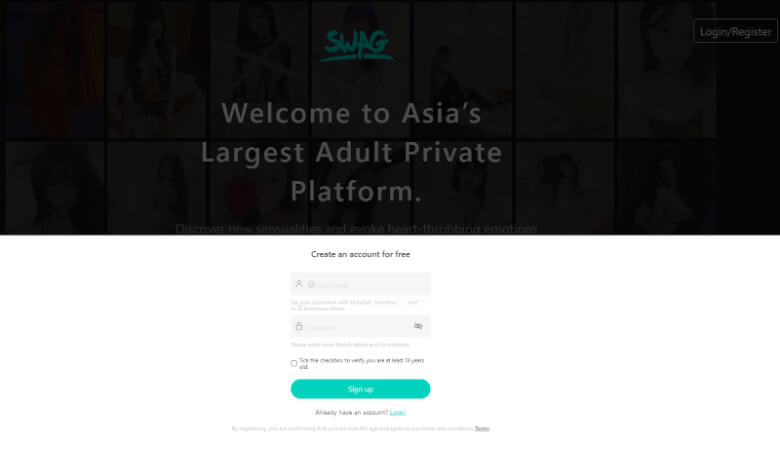
Learning how to use SWAG Live starts with registration. You need a verified account before you can access any feature on the platform, and signing up takes under a minute with only an email address or phone number.
Visit swag.live and click the sign up button. Choose a username and password, then verify your account through the confirmation email or SMS code sent to you. Once verified, you are ready to explore.
Changing Your Language Preference
SWAG Live defaults to English on its international subdomains such as ca.swag.live. If you prefer another language, log in and navigate to Me on the lower right corner, then tap the Gear icon to open Settings. From there, go to About and select Language to choose your preferred option.
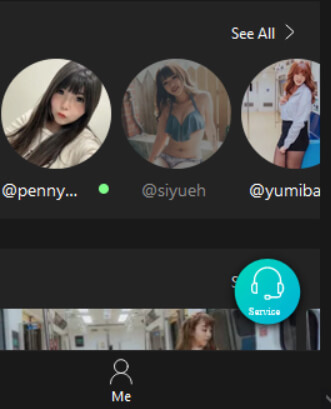
The Settings menu also gives you access to your wallet, payment methods, blocklist, and account links where you can connect social media profiles.
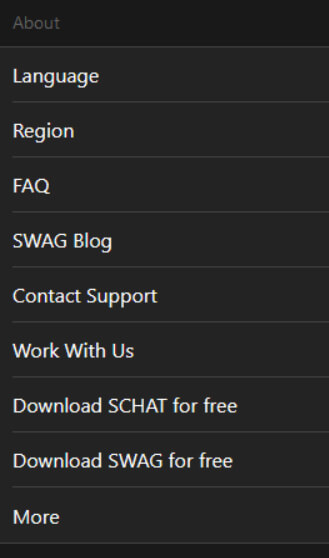
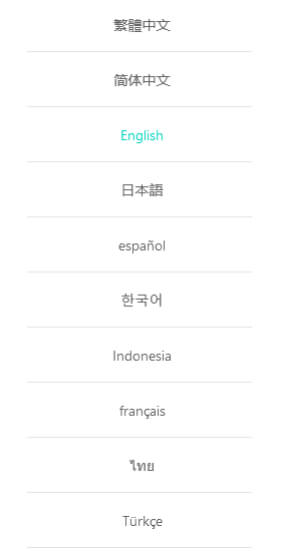
If you run into any issues, click the customer service button on the lower right corner of your screen for 24 hour live support.
Buying and Using SWAG Diamonds
SWAG diamonds are the virtual currency you use to unlock videos, send gifts during livestreams, pay for private messages, and access private shows. You can purchase them directly on the platform using USD, GBP, EUR, or NT.
To buy diamonds, tap the diamond icon at the top right of the screen, or go to Settings and navigate to the Wallet section to select Buy Diamonds. Packages range from small starter amounts to bulk bundles that give you more diamonds per dollar.
Pricing varies by package and currency. Larger bundles offer progressively better value, so if you plan to spend time on livestreams and private chats, a bigger package stretches further. Diamonds never expire and remain on your account until you use them. You can also earn small amounts through the daily login reward.
You can spend diamonds on:
- Unlocking long form and short form videos
- Sending gifts during livestreams
- Paying per message chat fees to creators
- Accessing private livestream sessions
- Viewing Stories from your favorite creators
Finding and Joining Live Streams
Livestreams are where SWAG Live becomes interactive. You watch a creator broadcast in real time and influence what happens on screen by sending gifts and making requests.
Tap the Livestream icon on the main navigation to browse active streamers. You will see thumbnails and viewer counts for each live room. Tap any streamer to enter.
Some livestreams are free to enter, while others require a small diamond fee that varies by the streamer and her audience size. Once inside, you can watch the broadcast, type in the chat, and send gifts to request specific actions.
SWAG Live offers three livestream modes: public streams that are free to watch, paid streams with a diamond entry fee, and limited time performances. Each mode gives you different levels of access and interaction with the streamer.
Chatting with Creators
Chatting with creators on SWAG Live means sending private text, voice, and image messages directly to any creator you follow. It is the most personal way to interact on the platform outside of a private livestream.
To start a conversation, tap the Chat icon on the main navigation, then open your Inbox. Hit the + button to add a new contact and select the creator you want to message from the list. If you are not sure who to message first, the 24 hour chat leaderboard shows which creators fans are talking to right now.
Message pricing varies by creator tier. Some creators charge more per message based on their popularity and the type of content they share in return. You will see the cost before you send each message, so there are no surprises.
You can also join event based group chats when creators host special sessions. These appear in your inbox as invitations and let multiple fans interact in the same thread.
Sending Gifts and Controlling the Show
Gifts are how you direct the action during a SWAG Live livestream. Each gift triggers a specific response from the streamer, and they are organized into four tiers that escalate in intensity and price.
| Gift Tier | What It Does |
|---|---|
| Sweet Commands | Entry level interactions. Use these to get to know a streamer and see what she offers. Think of it as a warm up. |
| Lascivious Commands | Explicit requests that push the show further. This tier covers the full range of adult actions available on demand. |
| Sex Toys | Triggers the streamer to use toys on camera. Different shapes, sizes, and vibration settings are available depending on the creator. |
| Love Baby | Premium luxury gifts such as a yacht, diamond ring, or designer bag in virtual form. These score major favor with the streamer and often unlock extended interaction. |
The gift system is what separates SWAG Live from passive viewing. You are not just watching a prerecorded scene. You are shaping what happens in real time, and the streamer responds to your choices.
Watching Stories
Stories let you preview a creator’s casual content before you commit to a livestream or paid video. They work like social media stories but stay available for up to 33 hours.
To watch Stories, visit any creator’s profile and tap the Story icon. You will see their latest uploads, which can range from casual daily moments to exclusive previews of upcoming content. Browse trending Stories on the Stories discovery page.
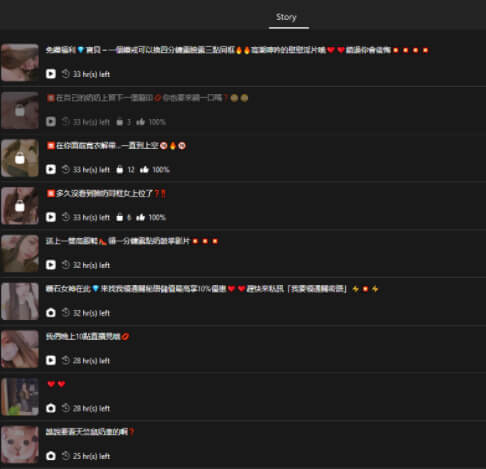
Stories are a low commitment way to discover new creators and decide who you want to spend diamonds on for deeper interaction.
Now that you know how to use SWAG Live, the next step is to create your account and start exploring. Sign up at swag.live and browse the platform for yourself. For more tips and updates, check the SWAG Blog.